How to Create a Professional Brand Kit in 15 Minutes Using Canva's AI Tools
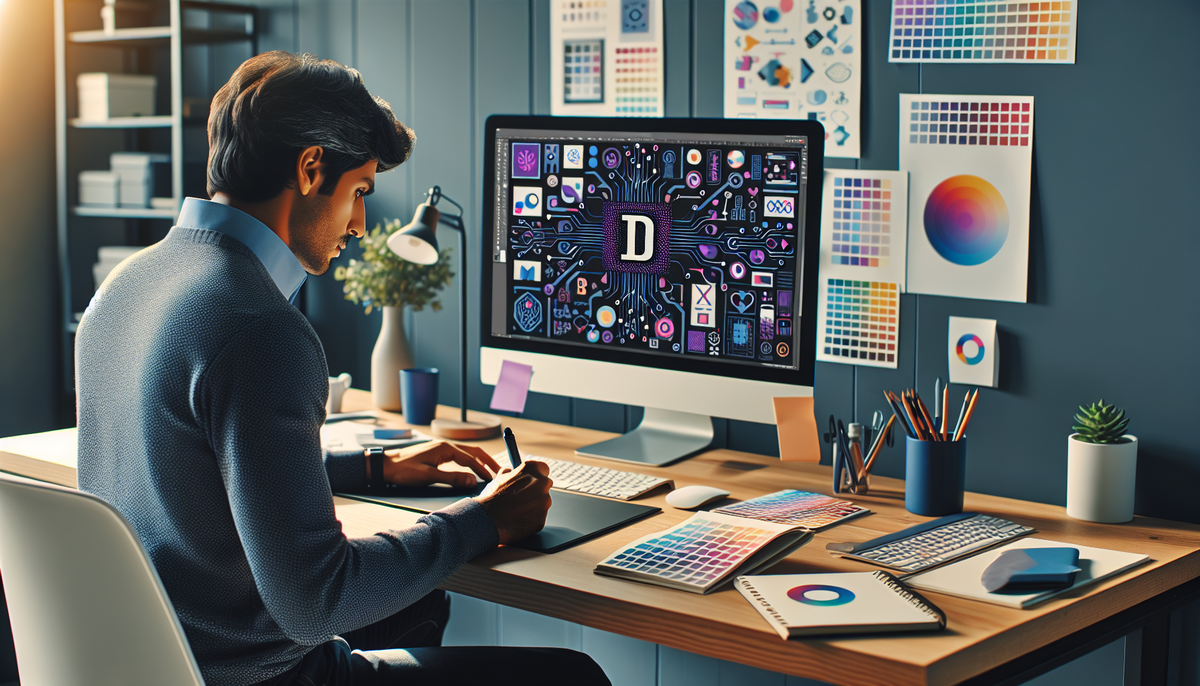
Building a professional brand identity used to take weeks and cost thousands of dollars. Today, with Canva's AI-powered tools, you can create a complete brand kit in just 15 minutes—and it doesn't require a design degree or a massive budget.
Whether you're launching a new business, rebranding an existing company, or helping clients establish their visual identity, this tutorial will show you exactly how to leverage Canva's AI tools to create a cohesive, professional brand kit that looks like it came from a high-end design agency.
Why Your Brand Kit Matters More Than Ever
In today's digital landscape, your brand is often the first impression potential customers have of your business. A professional brand kit isn't just about looking good—it's about building trust, recognition, and credibility across all your marketing channels.
What You'll Create in 15 Minutes:
- • A professional logo with AI-generated variations
- • A cohesive color palette (5-6 colors)
- • Typography hierarchy with font pairings
- • Brand templates for social media, presentations, and documents
- • Export-ready files for immediate use
Before We Begin: Quick Setup
To follow along with this tutorial, you'll need a Canva account. While you can use the free version, Canva Pro gives you access to the full suite of AI tools and premium templates we'll be using.
Pro Tip: Canva Pro offers a 30-day free trial with no commitment. This gives you access to all AI features, premium templates, and the Brand Kit functionality we'll be using throughout this tutorial.
The 15-Minute Brand Kit Blueprint
Here's how we'll structure our time to maximize efficiency and results:
Foundation & Strategy
Define brand personality, generate logo concepts
Visual Identity
Create color palette, select typography
Templates & Export
Generate brand templates, export final kit
Step 1: Foundation & Strategy (Minutes 0-5)
Define Your Brand Personality
Before diving into design, spend 2 minutes clarifying your brand's personality. This will guide all AI-generated suggestions and ensure consistency across your brand kit.
Quick Brand Personality Questions:
- • If your brand were a person, how would they dress? (Professional, casual, trendy, classic)
- • What three words describe your brand's tone? (Trustworthy, innovative, playful, etc.)
- • Who is your target audience? (Age range, profession, interests)
- • What industry/category are you in? (Tech, healthcare, creative, etc.)
Launch Canva's AI Logo Generator
Now we'll use Canva's AI to generate your logo concepts:
Log into Canva and click "Create a design" → "Logo"
Look for the "Magic Design" or "AI Logo Generator" option in the templates section
Enter your company name and select your industry from the dropdown
Choose 2-3 keywords that describe your brand personality (modern, elegant, bold, etc.)
AI Magic in Action: Canva's AI will instantly generate 20+ logo variations based on your inputs. Don't worry about perfection—select 2-3 concepts you like. We'll refine them in the next step.
Step 2: Visual Identity Creation (Minutes 5-10)
Refine Your Logo with AI Assistance
Select your favorite logo concept and let's refine it using Canva's AI editing tools:
Click on your chosen logo to open the editor
Use the "Magic Edit" feature to adjust colors, fonts, or elements by typing natural language commands like "make the text bolder" or "change the icon to blue"
Create 3 variations: full color, black & white, and icon-only versions
Generate Your Brand Color Palette
Here's where Canva's AI really shines. It can extract colors from your logo and suggest complementary palettes:
With your logo selected, click "Brand Kit" in the left sidebar
Click "Upload your logo" and select your refined logo
Canva's AI will automatically extract colors and suggest a 6-color palette
Click "Generate palette variations" to see alternative color schemes
Pro Color Palette Structure:
Select Your Typography Hierarchy
Canva's AI can suggest font pairings based on your logo and brand personality:
In the Brand Kit section, scroll to "Brand fonts"
Click "Get font recommendations" - AI will suggest pairings based on your logo
Choose one primary font (for headings) and one secondary font (for body text)
Save both fonts to your Brand Kit
Step 3: Templates & Export (Minutes 10-15)
Generate Branded Templates with AI
Now that your brand kit is established, let's create templates you can use immediately:
Go to "Create a design" and select "Instagram Post" (or any template type)
Click "Apps" in the left sidebar, then "Brand Kit"
Select "Apply brand kit to design" - this applies your colors, fonts, and logo automatically
Create templates for: social media posts, business cards, letterhead, and presentation slides
Time-Saving Hack: Use Canva's "Magic Resize" feature to automatically create multiple formats from one design. Create an Instagram post, then instantly resize it for Facebook, Twitter, LinkedIn, and more.
Export Your Complete Brand Kit
The final step is organizing and exporting your brand assets for immediate use:
Download your logo variations in PNG (for web) and SVG (for print) formats
Screenshot your color palette with hex codes for easy reference
Save your template designs as both editable Canva files and static exports
Create a simple brand guide PDF using Canva's brand guide template
Advanced AI Tips for Brand Kit Mastery
Leverage Canva's AI Writing Assistant
Don't overlook Canva's AI writing tools for creating brand messaging:
Use "Magic Write" to generate taglines and brand descriptions
Create social media captions that match your brand voice
Generate email templates and marketing copy
AI-Powered Brand Consistency
Canva's brand kit automatically ensures consistency across all your designs. Here's how to maximize this feature:
- • Brand Templates: Create master templates for common use cases (social posts, presentations, flyers)
- • Team Sharing: Share your brand kit with team members for consistent branded content
- • Auto-Apply: Use the "Apply brand kit" feature on any new design for instant brand consistency
- • Brand Guidelines: Generate a professional brand guide PDF to share with contractors and partners
Common Brand Kit Mistakes to Avoid
Too Many Colors
Stick to 5-6 colors maximum. More colors make your brand look unprofessional and inconsistent.
Ignoring Scalability
Always test your logo at small sizes. If it's not readable at 50px wide, simplify it.
Font Overload
Use maximum 2-3 fonts in your brand kit. More fonts create visual chaos.
Taking Your Brand Kit Further
Your 15-minute brand kit is just the beginning. Here's how to expand and refine it over time:
Week 1: Test & Refine
- • Use your brand kit across different mediums
- • Gather feedback from your target audience
- • Make small adjustments based on real-world usage
Month 1: Expand
- • Create additional templates for new use cases
- • Develop brand photography guidelines
- • Build a library of branded graphics and icons
Remember, a strong brand kit is an investment in your business's future. The time you spend creating consistency now will pay dividends in recognition, trust, and professional credibility. For more insights on building a profitable online business, check out our case study on growing from zero to 1000 subscribers in 30 days.
Pro Tip: Once you've mastered brand kit creation, consider offering this as a service to other businesses. With your newfound skills and Canva's AI tools, you can create professional brand kits for clients in under an hour—turning this knowledge into a profitable side hustle.
Ready to Build Your Professional Brand Kit?
Start creating your brand kit today with Canva Pro's AI-powered design tools. Get access to premium templates, unlimited AI features, and professional design assets.
🚀 Try Canva Pro Free for 30 DaysNote: This is an affiliate link. We may earn a commission at no extra cost to you.